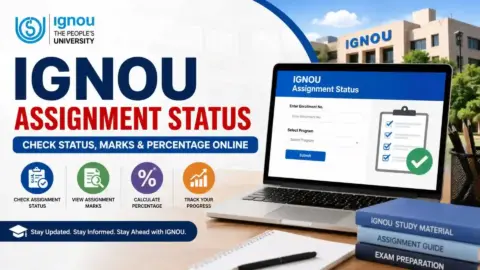
IGNOU Assignment Status 2026 is an important update for students enrolled at Indira Gandhi National Open University (IGNOU). After submitting their assignments, students often want to know whether their assignments have been processed and whether their marks are available online. Checking assignment status helps students monitor their academic progress and identify any issues that may require attention.
IGNOU provides an official online facility for checking the transmission status of assignment, project, and practical marks. Students can access the portal using their enrolment number and programme code. However, assignment status may not appear immediately after submission because the assignment must go through the relevant evaluation and marks-transmission process.
Students who want additional information about checking assignment marks can also visit the following page.
Check IGNOU Assignment Marks: https://www.ignoubank.com/ignou-assignment-marks/
This article explains how to check IGNOU assignment status online, how to find assignment marks, why status updates may be delayed, and what students should do if their marks are not available.
IGNOU Assignment Status 2026: Overview
The following table provides the key information students should know before checking their assignment status.
| Particulars | Details |
|---|---|
| University Name | Indira Gandhi National Open University |
| Popular Name | IGNOU |
| Academic Year | 2026 |
| Service Name | Assignment Status |
| Information Available | Assignment, project and practical marks transmission status |
| Status Checking Mode | Online |
| Details Required | Enrolment number and programme code |
| Official Assignment Status Link | https://isms.ignou.ac.in/changeadmdata/StatusAssignment.asp |
| Assignment Marks Information Link | https://www.ignoubank.com/ignou-assignment-marks/ |
| Official IGNOU Website | https://www.ignou.ac.in/ |
| Assignment Question Papers | https://webservices.ignou.ac.in/assignments/ |
| Grade Card Portal | https://gradecard.ignou.ac.in/ |
| Important Reminder | Marks appear after the relevant evaluation and transmission process |
The official assignment status portal specifically states that information is reflected after marks or grades are transmitted by the concerned Study Centre or Regional Centre following evaluation.
What Is IGNOU Assignment Status?
IGNOU assignment status is an online facility that allows students to check the available information about the transmission of marks or grades for assignments, projects, and practical assessments.
Assignments form an important part of the academic assessment process for many IGNOU programmes. Depending on the programme and course requirements, students may need to submit assignments in addition to appearing for Term-End Examinations (TEE) or completing practical and project assessments.
After an assignment is submitted, it must go through the applicable evaluation and processing stages. The relevant marks or grades are then transmitted to the university’s system. Once the information has been processed, students can check the available status through the online portal.
It is important to understand that submitting an assignment and seeing its marks online are two different stages. A student may have submitted an assignment successfully but still need to wait for evaluation and the updating of academic records.
Therefore, students should retain their assignment submission receipts or acknowledgements until the relevant marks are available.
How to Check IGNOU Assignment Status 2026 Online?
Students can follow these steps to check their IGNOU assignment status through the official portal.
Step 1: Open the Official Assignment Status Portal
Visit the following link:
https://isms.ignou.ac.in/changeadmdata/StatusAssignment.asp
This is the official IGNOU page for checking assignment, project, and practical awards or marks transmission status.
Step 2: Enter Your Enrolment Number
On the page, locate the field for your enrolment number.
Enter your IGNOU enrolment number carefully. The official portal specifies a maximum length of 10 digits for this field.
Before submitting the information, check that you have entered the number correctly. An incorrect enrolment number may prevent you from retrieving the expected record.
Step 3: Select Your Programme Code
Choose the programme code associated with your IGNOU admission.
Your programme code identifies the academic programme in which you are enrolled. Make sure you select the correct option rather than choosing a different programme with a similar name.
Step 4: Submit the Information
After entering your enrolment number and selecting your programme code, submit the required details using the option displayed on the page.
Wait for the portal to process your request. If the website is slow or temporarily unavailable, try again later.
Step 5: Review Your Assignment Status
Once the information is displayed, review the available assignment-related details.
Depending on the records available, the page may show information such as the course code, examination session, status, and relevant date.
Check each entry carefully to understand which assignment or assessment the information relates to.
Step 6: Check Your Grade Card if Necessary
If the assignment status indicates that you should check your grade card for details, visit the official IGNOU grade card portal:
Review the available marks or grades for the relevant course. Remember that the assignment status page and grade card serve different purposes.
How to Check IGNOU Assignment Marks 2026
Students who want to check their assignment marks can use the following information page: https://www.ignoubank.com/ignou-assignment-marks/
To check your marks, follow these steps:
- Open the assignment marks information link.
- Review the instructions provided on the page.
- Open the official IGNOU assignment status or grade card portal as appropriate.
- Enter your enrolment number and select your programme code if required.
- Submit the details and review the available information.
- If marks are displayed, compare them with the relevant course and assessment details.
- If marks are missing, check the assignment status again later and contact your Study Centre or Regional Centre if necessary.
The assignment marks information page is a useful starting point, but students should verify their academic records through the relevant official IGNOU portal.
It is also important to distinguish assignment marks from Term-End Examination marks. These are separate assessment components, and their availability may differ.
Important Links for IGNOU Assignment Status and Marks
The following table brings together useful links for checking assignment status, marks, examination results, and other academic information.
| Purpose | Important Link |
|---|---|
| Check IGNOU Assignment Status | https://isms.ignou.ac.in/changeadmdata/StatusAssignment.asp |
| Check IGNOU Assignment Marks | https://www.ignoubank.com/ignou-assignment-marks/ |
| Check IGNOU Grade Card | https://gradecard.ignou.ac.in/ |
| Official IGNOU Website | https://www.ignou.ac.in/ |
| Download IGNOU Assignments | https://webservices.ignou.ac.in/assignments/ |
| IGNOU Student Services | https://www.ignou.ac.in/pages/54 |
| Check Term-End Examination Results | https://termendresult.ignou.ac.in/ |
| IGNOU Student Login | https://ignou.samarth.edu.in/index.php/site/login |
| IGNOU Student Grievance Portal | https://igram.ignou.ac.in/ |
Students should use the correct portal for the information they need. The assignment status portal focuses on marks transmission status, while the grade card displays available academic assessment information. The TEE result portal is intended for examination results.
Why Is My IGNOU Assignment Status Not Showing?
One of the most common concerns among students is that their assignment status does not appear online even after they have submitted their assignments.
There are several possible reasons for this situation.
1. Assignment Evaluation Is Pending
After submission, an assignment must be evaluated according to the applicable university process. If evaluation is still pending, the marks may not yet be available online.
Students should retain their submission proof and check the portal periodically.
2. Marks Have Not Been Transmitted
The official status portal explains that information appears after marks or grades are transmitted by the relevant Study Centre or Regional Centre following evaluation.
Therefore, even if an assignment has been evaluated, its status may not appear until the necessary transmission and updating steps are completed.
3. Incorrect Enrolment Number
Entering an incorrect enrolment number can prevent the portal from displaying the expected record.
Check your number against your IGNOU student records and try again.
4. Incorrect Programme Code
The programme code must correspond to your enrolled programme. If you select the wrong code, the result may not match your academic record.
Review your admission details before submitting the form.
5. Website or Technical Issues
The status portal may occasionally be slow or temporarily unavailable. Try again later, use another browser, or check your internet connection.
6. The Record Has Not Been Updated Yet
Assignment-related information may be updated at different times. The absence of a status entry does not automatically mean that your assignment was rejected or that you have failed.
If the issue continues, contact the appropriate Study Centre or Regional Centre and provide the relevant details.
What Do Different IGNOU Assignment Status Messages Mean?
The status displayed on the portal should be read carefully. The exact wording and available information may vary depending on the record.
| Status or Situation | What It May Indicate | Recommended Action |
|---|---|---|
| Status not available | The relevant information may not yet be recorded or displayed | Verify your details and check again later |
| Marks or grades not yet shown | Evaluation or transmission may still be pending | Retain submission proof and allow time for processing |
| Check Grade Card Status for detail | Further information may be available through the grade card | Open the official grade card portal |
| Marks displayed | The relevant marks have been recorded in the available system | Verify the course and assessment details |
| Incorrect or unexpected information | The displayed record may need clarification | Contact the appropriate IGNOU office with supporting documents |
Do not assume that every message has the same meaning across all programmes or assessment sessions. Follow the instructions displayed on the official portal.
What Should You Do If IGNOU Assignment Marks Are Missing?
If you have submitted an assignment but cannot find the corresponding marks, follow these steps.
Keep Your Submission Proof
Save your acknowledgement, receipt, or other proof of submission. This documentation may be useful if you need to follow up on the assignment.
Check the Correct Course and Session
Confirm that you are checking the correct course code and assessment session. This is particularly important if you have submitted multiple assignments.
Check the Assignment Status Portal
Visit the official status page and enter your enrolment number and programme code. Review the information displayed for the relevant course.
Check Your Grade Card
If the status page directs you to check the grade card, review the official grade card portal for the available marks or grades.
Contact Your Study Centre or Regional Centre
If the marks remain missing after the relevant evaluation and processing period, contact the appropriate centre. Explain the issue clearly and provide your course code, enrolment details, and submission proof as requested.
Raise a Grievance if Necessary
If the issue remains unresolved, consult the official IGNOU student grievance portal:
Follow the instructions provided by the university and keep a record of any complaint or acknowledgement.
Difference Between IGNOU Assignment Status and Grade Card
Although these services are related, they are not identical.
| Feature | Assignment Status | Grade Card |
|---|---|---|
| Main Purpose | Check assignment, project and practical marks transmission status | Review available academic assessment records |
| Assignment Information | Shows relevant status information | May display assignment marks or grades |
| Theory Examination Marks | Not its main purpose | May display available theory marks |
| Course-wise Assessment Details | Depends on the status information available | Provides broader assessment information |
| Link | https://isms.ignou.ac.in/changeadmdata/StatusAssignment.asp | https://gradecard.ignou.ac.in/ |
Students may need to use both portals to understand the progress of their academic assessments.
Important Tips for IGNOU Students
Keep the following points in mind when checking assignment status and marks:
- Always use the official assignment status portal to check transmission status.
- Enter your enrolment number and programme code correctly.
- Keep your assignment submission receipt or acknowledgement safe.
- Check the relevant course code and assessment session.
- Understand that assignment submission and marks updating are separate stages.
- Check the grade card when the status portal directs you to do so.
- Do not assume that missing marks automatically indicate failure.
- Contact the appropriate Study Centre or Regional Centre if a problem continues.
- Avoid sharing your enrolment number or personal academic information publicly.
- Follow the latest instructions published by IGNOU for your programme.
These steps can help you monitor your assignment progress and deal with missing information more effectively.
FAQ
How can I check IGNOU assignment status online?
Visit https://isms.ignou.ac.in/changeadmdata/StatusAssignment.asp, enter your enrolment number, select your programme code, and submit the details to check the available status.
What is the official IGNOU assignment status link?
The official assignment status link is:
https://isms.ignou.ac.in/changeadmdata/StatusAssignment.asp
Where can I check IGNOU assignment marks?
You can visit https://www.ignoubank.com/ignou-assignment-marks/ for assignment marks information. For verification, use the official assignment status and grade card portals as appropriate.
What details are required to check assignment status?
The official portal asks for your enrolment number and programme code. The enrolment number field allows a maximum of 10 digits.
Why is my IGNOU assignment status not showing?
Your assignment may still be awaiting evaluation, or the marks or grades may not yet have been transmitted to the university system. Check your details and try again later.
Does assignment status confirm that my assignment was received?
The portal primarily displays assignment, project, and practical marks transmission status. It is not necessarily an immediate acknowledgement of physical or online submission. Keep your submission receipt or acknowledgement as proof.
How long does it take for IGNOU assignment marks to appear?
The time can vary depending on evaluation and processing. The official portal does not guarantee a fixed timeframe for every assignment. Marks appear after the relevant information is transmitted and updated.
What should I do if my assignment marks are missing from the grade card?
Check the assignment status portal first. If the information remains unavailable after the relevant processing period, contact your Study Centre or Regional Centre with the course details and submission proof.
Is IGNOU assignment status the same as the TEE result?
No. Assignment status relates to the transmission of assignment, project, and practical marks. The TEE result portal is used to check examination results.
Can I check IGNOU assignment status on my mobile phone?
Can I check IGNOU assignment status on my mobile phone?
What should I do if I entered the wrong enrolment number?
Return to the portal, enter the correct enrolment number, select the appropriate programme code, and submit the details again.
Where can I raise a complaint about missing assignment marks?
You can contact your Study Centre or Regional Centre. If necessary, use the official IGNOU grievance portal at https://igram.ignou.ac.in/ and follow the instructions provided.
Conclusion
IGNOU Assignment Status 2026 is an important facility for students who want to monitor the progress of their assignments and check whether their marks or grades have been transmitted. The official portal allows students to enter their enrolment number and programme code to view the available assignment, project, and practical marks transmission information.
To check your status, visit the official portal:
https://isms.ignou.ac.in/changeadmdata/StatusAssignment.asp
For additional information about checking assignment marks, visit: https://www.ignoubank.com/ignou-assignment-marks/
Remember that assignment marks may not appear immediately after submission. Evaluation, transmission, and updating can take time, and the official portal states that the status is reflected after marks or grades have been transmitted following evaluation.
If your marks are missing, verify your details, retain your submission proof, check the grade card when appropriate, and contact the relevant IGNOU office if necessary. By checking the correct portal and maintaining your academic records, you can track your assignment progress more effectively.